Setup
Primeira noite setup CS2 | desde 35 $
A primeira noite define o mês. Siga esta ordem do email ao menu — o produto Cheats CS2 traz ESP, aim e ajuda de loader para FACEIT.
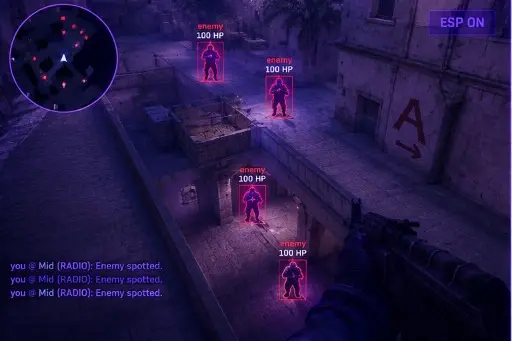
Read the Delivery Message Carefully
After checkout you will receive a message containing your access details. Read all of it once, slowly. It tells you which file to use, which plan you bought, and where to go if something does not work. Skipping it is how people end up downloading something from the wrong place.
Only use files that come from that message or from your account page. Files passed around in chat groups, forum threads, or from strangers are a common way accounts and computers get compromised, and no support team can undo that.
Confirm Your Plan and Access Period
Check which plan you bought and when it starts. A monthly plan runs for a fixed period, while a lifetime plan removes the day counter. Knowing this avoids confusion later when a counter appears or a renewal question comes up.
Keep the order email somewhere you can find it. If you ever need help, support will ask for the order details first, and having them ready saves a round of back-and-forth.
Finish Windows and Driver Updates
Before launching anything new, let Windows finish its pending updates and restart. A half-installed update can cause odd behavior that looks like a software problem but is really a system in transition.
While you are there, update your graphics driver from the manufacturer. Our Windows Pre-Launch Checklist has a longer list of system checks, including startup items and background processes, that are worth doing once now rather than during a troubleshooting session later.
Run the Game Once on Its Own
Open CS2 without anything else, load into a practice map, and confirm it runs smoothly. This gives you a clean baseline for frame rate, latency, and stability. If the game itself is not stable, no extra software will fix that.
Note your resolution, window mode, and typical frame rate. If something looks wrong later, you can compare against this baseline and know whether the change came from the game or from what you added.
Open the Menu for the First Time
With the game running on a practice map, follow the steps in your delivery message to open the menu. The default key is Insert, and on many laptops that key sits behind a function layer. If nothing happens, do not reinstall anything yet; follow Insert Key Not Working? first.
Once it opens, look around without changing anything. Read the tab names, read the tooltips, and close it again. Getting familiar with the layout before touching sliders prevents accidental changes you cannot remember making.
Change One Setting at a Time
It is tempting to switch on everything. Resist that. Change one thing, test it on a practice server, and note the result. If a problem appears, you know exactly which change caused it.
Save a profile when you reach something that feels good, and give it a clear name. Future you will be grateful when you can reload it with a single click instead of trying to remember what you did on the first night.
First Night Checklist
Use this as a final pass before you call it done.
- Delivery message read and the correct file identified.
- Plan type and start date confirmed.
- Windows updates and graphics drivers current.
- CS2 tested on its own and stable on a practice map.
- Menu opened once and the layout reviewed.
- One change at a time, with a named profile saved.
- You understand that competitive services prohibit this software.
Por que compradores usam Cheats CS2
O hub do produto junta ESP, aim, overlay de radar e configs para Windows 10 e 11 em lobbies FACEIT. Estado atualizado após patches do CS2, entrega digital, suporte 24/7.
Qual plano combina
Mensal 35 $ por 31 dias; vitalício 150 $ sem contador. Compare em preços e planos.
Entrega, suporte e políticas
Email com link de download após pagamento. Falhas: suporte com ID do pedido. Reembolsos na FAQ e termos. Setup: fórum.
Respostas rápidas antes de comprar
Quanto custam os cheats CS2?
Desde 35 $/mês ou 150 $ vitalício — preços. Confirme o estado antes de pagar.
Quão rápida é a entrega?
Entrega digital por email, normalmente em minutos.
Funciona no meu PC?
Windows 10 e 11. Requisitos na página do produto.
Pronto para comparar módulos e planos?
A partir de 35 $