Education
CS2 Aimbot FOV FACEIT erklärt | Pläne
FOV hat zwei Bedeutungen. Dieser Guide erklärt die Begriffe — und wo der Aim-Tab im Cheats-CS2-Produkt für FACEIT-Lobbys sitzt.
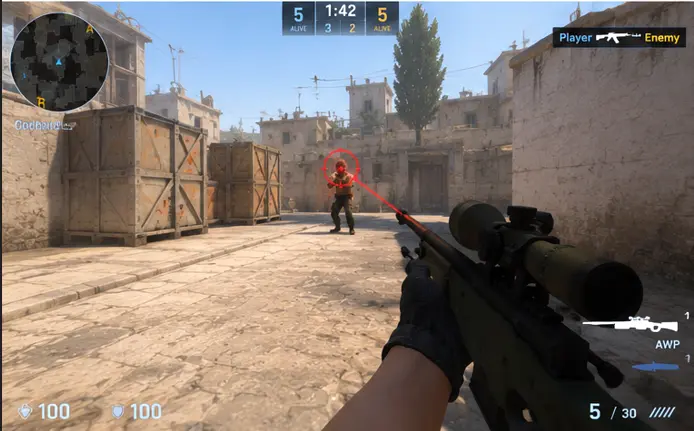
Two Different Meanings of FOV
In normal gameplay, field of view is how much of the world your camera shows. It is a display setting and a matter of comfort. In discussions about aim tools, the same abbreviation refers to a region around the crosshair inside which a tool is allowed to act.
Keeping the two meanings apart avoids confusion. One is a legitimate visual preference. The other describes a mechanism whose use in competitive play is prohibited by nearly every service that enforces rules.
The Concept Behind an Aim Region
A circular region on screen limits where an aim tool may pick targets. Narrow regions mean a tool only acts on targets very near the crosshair; wide regions let it act across more of the screen. That is the whole idea, and it is why people discuss the term at all.
We are deliberately not describing how to tune such a region. The point here is understanding the vocabulary so you can follow community conversations and recognize what moderators are talking about.
How Reviewers Think About Unusual Aim
Players and reviewers look at consistency, reaction timing, and how aim moves between targets. Human aim has noise: overshoots, corrections, and variation. Movement that is too clean, too fast, or too uniform stands out over many rounds.
That matters because no single feature makes someone look suspicious in isolation. Patterns across demos do, and community review processes are built around spotting them.
Competitive Rules and Account Risk
Competitive services such as FACEIT and tournament organizers prohibit aim-altering software. Penalties can include permanent bans, forfeited prizes, and restrictions that follow more than one account. See FACEIT Lobby Prep for how to think about those rules before you queue.
We do not provide techniques for avoiding detection and cannot promise any tool is safe. If you value an account, keep unauthorized software away from rule-enforced play.
How Visual Tools Differ From Aim Tools
Visual overlays and aim tools are different categories, even though both fall under the same rules in competitive play. Our article on player overlays explains what visual elements draw. Aim tools, by contrast, change what the player's input does.
That difference is why communities often react more strongly to aim tools. They directly affect the contest between two players, which is the heart of the game.
Building Real Aim Skill
The best long-term investment is practice. Use aim trainers, deathmatch servers, and a consistent sensitivity. Warm up before sessions, review demos, and focus on crosshair placement, which wins duels before they start.
Pair that with map knowledge. The Nuke radar guide shows how information from the legitimate in-game radar helps you position before the fight even begins.
Key Takeaways Checklist
Keep these points in mind.
- FOV has two meanings: a display setting and an aim region.
- This article explains the idea, not how to configure it.
- Reviewers look at patterns across many rounds.
- Competitive services ban aim tools and enforce it.
- Account risk is real; competitive services enforce bans when rules are broken.
- Practice, demo review, and map knowledge build real skill.
Warum Käufer das Cheats-CS2-Produkt nutzen
Im Produkt-Hub findest du ESP, Aim-Regler, Radar-Overlay und gespeicherte Configs für Windows 10 und 11 in FACEIT-Lobbys. Der Status wird nach CS2-Patches aktualisiert, die Lieferung ist digital, Support ist 24/7 erreichbar.
Welcher Plan passt
Monatlich kostet 35 $ für 31 Tage, Lifetime 150 $ ohne Tageszähler. Vergleiche beides unter Preise und Pläne.
Lieferung, Support und Richtlinien
Bestellungen kommen per E-Mail mit Download-Link und Loader-Hinweisen. Bei Ladefehlern: Support mit Bestell-ID. Rückerstattung steht in FAQ und AGB. Ersteinrichtung: Setup-Forum.
Kurze Antworten vor dem Kauf
Was kosten CS2 cheats?
Ab 35 $ monatlich oder 150 $ Lifetime — siehe Preise. Status vor dem Checkout prüfen.
Wie schnell ist die Lieferung?
Digital per E-Mail, meist innerhalb weniger Minuten nach Zahlung.
Läuft es auf meinem PC?
Für Windows 10 und 11. Anforderungen auf der Produktseite lesen.
Module und Pläne vergleichen?
Ab 35 $