Capture
OBS vs Discord capture CS2 + tarifs
Capture noire ? OBS vs Discord — et options stream dans le produit Cheats CS2.
Voir le produitVoir les tarifs
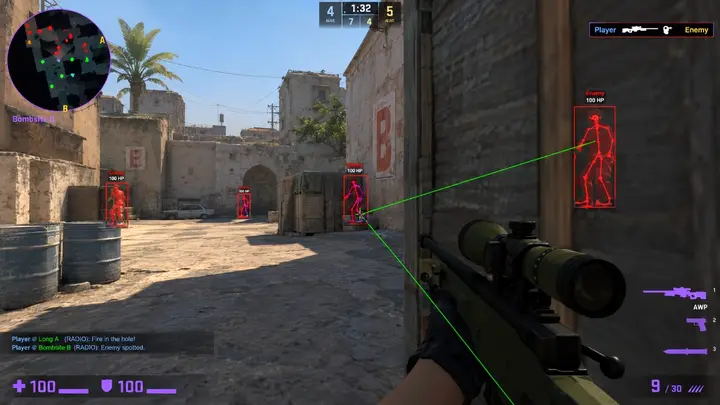
How Capture Actually Works
Capture tools grab frames in different ways. Some hook directly into the game's rendering, some capture a window, and some copy the whole display. Each approach has trade-offs in performance, compatibility, and what ends up in the final image.
Understanding which method you are using is the starting point for every fix. Many capture problems come from choosing a method that does not suit the game's display mode.
OBS: Control and Flexibility
OBS offers several sources. Game capture is usually the most efficient and reliable for CS2, window capture is a fallback, and display capture grabs everything on a monitor. You choose the encoder, bitrate, and resolution, which gives you the most control over quality.
That control comes with more settings to get wrong. If you see a black image, check that the source targets the right window and that OBS and the game run with the same permission level.
Discord Screen Share: Convenience
Discord is quick to start and good for sharing with friends. It captures with fewer options and applies its own compression. For casual sharing that is fine, but it is not designed to give you maximum fidelity or detailed control.
If a stream looks soft or stutters, check your connection, the chosen resolution, and whether other overlays are competing for the same resources. Keep overlay stacks small, as recommended in the Windows Pre-Launch Checklist.
Common Problems and Quick Fixes
Black screens usually mean a permission mismatch, the wrong capture source, or an unusual display mode. Stutter often points to encoder load or a crowded GPU. Washed-out colors usually mean a color range setting needs matching.
Change one thing at a time and record a short test clip after each change. That is far quicker than changing six settings and not knowing which one worked.
Audio and Sync
Separate audio tracks for the game, microphone, and voice chat make editing easier and prevent accidental sharing of things you did not intend. Check levels before you start, and confirm nothing is routed to the wrong device.
If audio drifts out of sync, lower the load on your system or adjust the sync offset in your recording tool. Short test clips make this easy to verify.
Rules, Fairness, and Honesty
Some tournaments and services require demos or recordings for review, and players are expected to follow those requirements. Recording tools are for sharing and reviewing your play, not for working around rules or concealing anything from organizers, teammates, or viewers.
Overlays that reveal information, as discussed in Understanding Player ESP, are prohibited in competitive play. Also check Patch Day Status after updates, since capture and overlay behavior can change with a new build.
Capture Checklist
Use this list for every new recording setup.
- Capture method matches the game's display mode.
- OBS and the game share the same permission level.
- Only needed overlays are running.
- Short test clip recorded after each change.
- Audio tracks checked and in sync.
- Event or service recording rules followed.
Pourquoi les acheteurs choisissent Cheats CS2
La page produit regroupe ESP, réglages d'aim, overlay radar et profils pour Windows 10 et 11 en lobbies FACEIT. Statut mis à jour après les patchs CS2, livraison numérique, support 24h/24.
Quelle formule choisir
Mensuel : 35 $ pour 31 jours ; à vie : 150 $ sans compteur. Comparez sur tarifs et formules.
Livraison, support et règles
Commande par e-mail avec lien de téléchargement. En cas de blocage : support avec n° de commande. Remboursements : FAQ et conditions. Setup : forum.
Réponses rapides avant achat
Quel prix pour les cheats CS2 ?
À partir de 35 $/mois ou 150 $ à vie — tarifs produit. Vérifiez le statut avant paiement.
Délai de livraison ?
Livraison numérique par e-mail, en général en quelques minutes.
Compatible avec mon PC ?
Windows 10 et 11. Voir les prérequis sur la page produit.
Prêt à comparer modules et formules ?
À partir de 35 $